
Desktop Walkthrough: Build an Event Page Without Commands
Not installed yet? Start with desktop app install guide.
In this lesson we do exactly one thing: build a working weekend book-club sign-up page inside an empty folder.
No commands to memorise, no programming knowledge required. You click a few times, then describe what you want the way you would to a colleague.
01 Open the desktop window and add your empty folder
Section titled “01 Open the desktop window and add your empty folder”Open the desktop app, click Add project in the sidebar, and pick the empty folder you prepared. Keeping it near your Desktop or Documents is easiest.
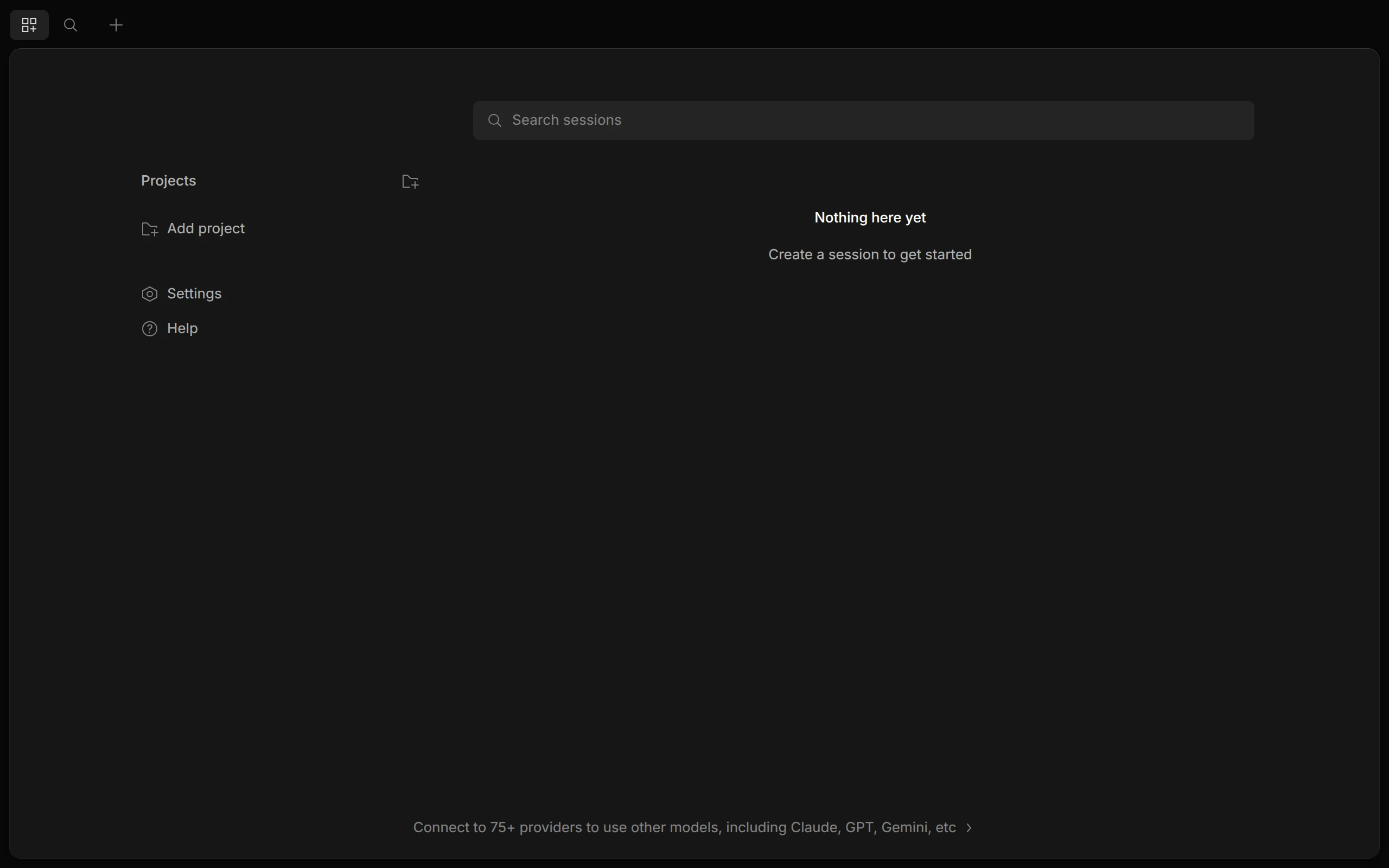
- Click here to bring the folder in
What you’ll see: Your folder name appears in the left sidebar, which means UltraCode is ready to work there.
02 Describe it the way you would to a colleague
Section titled “02 Describe it the way you would to a colleague”One complete sentence is enough: who it is for, what it must do, and how you will check it. Those three things cut most of the rework later.
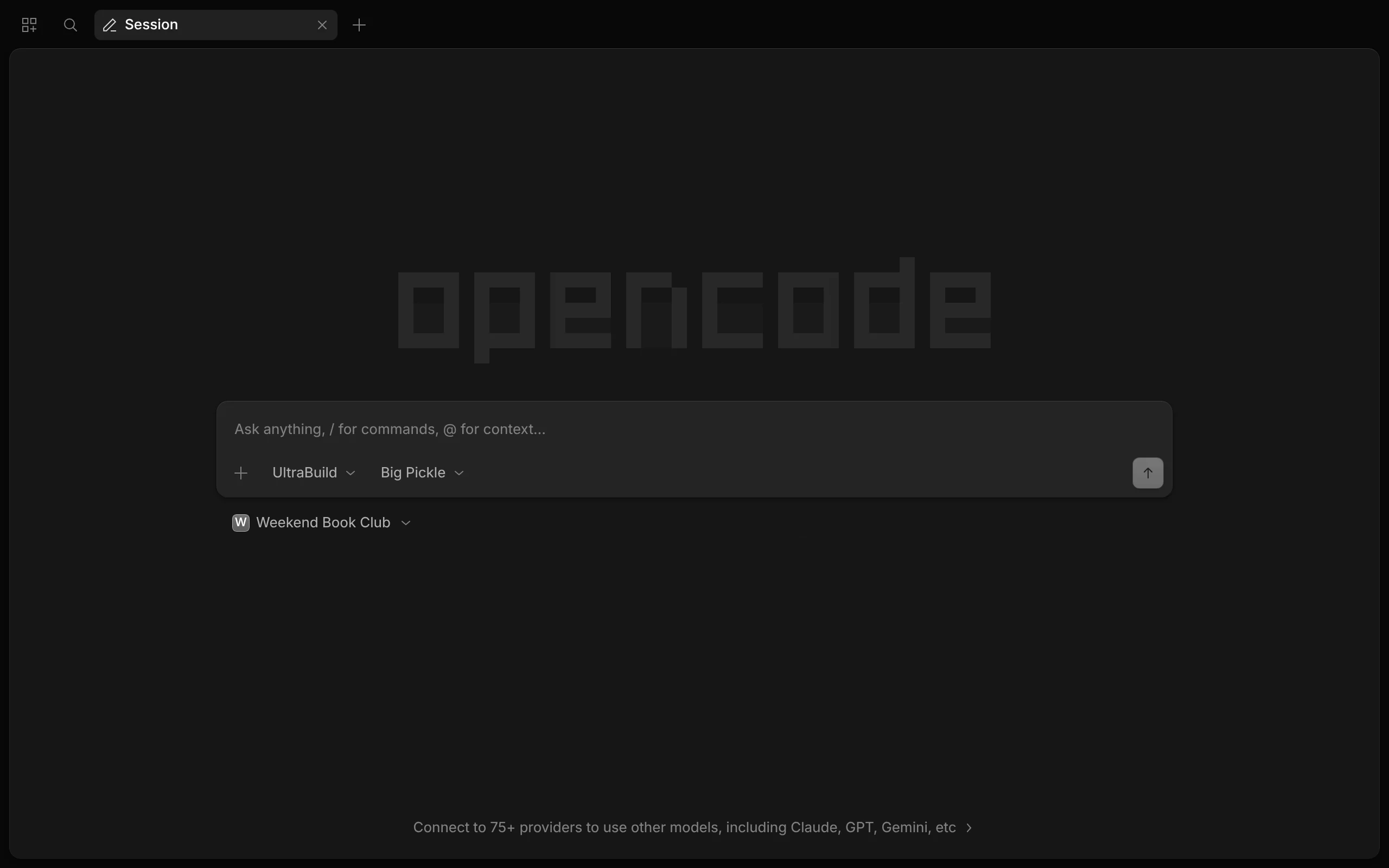
- Type the whole request here, then press Enter
- Leave the default UltraBuild role as it is
Send this sentence
Build a sign-up page for a weekend book club in this folder: pick Saturday or Sunday, enter the number of guests, and show a confirmation card after submitting. It should look good on a phone too, then open a preview for me.What you’ll see: Instead of guessing and writing immediately, it asks a few decisive questions first, using choice cards you can click.
03 Answer the cards, then let it check its own work
Section titled “03 Answer the cards, then let it check its own work”When a choice card appears, click whichever option matches your intent; if you are unsure, take the recommended one. Then it moves forward in small steps, and you can interrupt at any moment.
What you’ll see: After building a first version it opens a real browser, clicks the buttons, checks both desktop and phone layouts, and reports back. Accept it once you see that check pass.
04 Not happy? Keep talking instead of starting over
Section titled “04 Not happy? Keep talking instead of starting over”This is the difference between describing a goal and writing code: you describe the outcome, and it handles implementation plus self-checking.
Ask for a style change like this
Make the whole thing calmer, use a warmer heading colour, make the button bigger, and keep it on one line on a phone.What you’ll see: Only the colours and layout change; the sign-up logic you already approved stays intact.
Next, try Terminal mode without fear, or read how primary roles and specialists divide the work.